Searching with VirusTotal
VirusTotal stores the reports for all scans requested by its users. This allows users to query and render them without having to submit the items (URLs and files) for scanning. The search feature can retrieve file reports, URL reports, VT Community users and VirusTotal Community comments.
Contents
Audience
Getting started
Searching for file scan reports
Searching for URL scan reports
Searching for VirusTotal Community users
Searching through VirusTotal Community comments
Getting started
Searching for file scan reports
Searching for URL scan reports
Searching for VirusTotal Community users
Searching through VirusTotal Community comments
Audience
This document is intended for any VirusTotal user that wants to search through VirusTotal's dataset of past scans. No particular technical knowledge is required to understand the document.
Getting started
In order to get started you just have to refer to VirusTotal's search form and follow the instructions detailed in the next sections.
Searching for file scan reports
In order to search for the last VirusTotal report on a given file just enter its hash. Currently the allowed hashes are MD5, SHA1 and SHA256.
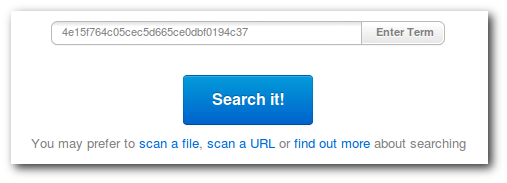
Some users might also be interested in searching for particular file scan reports (e.g. identified by a scan_id returned by the Public API), this can also be done, you just have to insert the scan identifier (sha256-timestamp_epoch). This will return the file scan for a given point in time rather than its last analysis.
Searching for URL scan reports
URL searches are simple, you just have to type in the given URL, the web application will normalize it and compare it with the items in VirusTotal's dataset. Specifying the URL will return the latest report on it.

Some users might also be interested in searching for particular URL scan reports (e.g. identified by a scan_id returned by the Public API), this can also be done, you just have to insert the scan identif

 Posts


